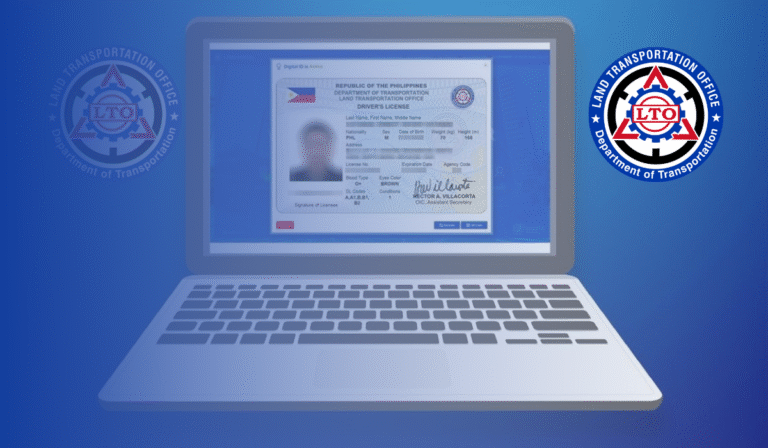
Digital Driver License Renewal Now In The eGovPH App – LTO Urges Clients to Use Online Services

Digital Driver License Renewal Now In The eGovPH App – LTO Urges Clients to Use Online Services. In line with President Ferdinand “Bongbong” R. Marcos Jr.’s broader digital transformation agenda, the Philippine government continues to upgrade its public service platforms. The Land Transportation Office (LTO), under the leadership of Department of Transportation (DOTr) Secretary Vince Dizon, has taken a major step by integrating the digital driver’s license renewal service into the eGovPH app. This initiative aims to modernize licensing processes, enhance convenience, and cut down on long queues in LTO offices.
This development signals a landmark shift in how Filipinos can manage their driving credentials, offering them the ability to renew licenses from the comfort of their homes or offices. Assistant Secretary Atty. Vigor D. Mendoza II, the LTO Chief, emphasized the benefits of embracing LTO online services, highlighting that these services are designed to make life easier for motorists.
Why Shift to Online Driver’s License Renewal?
According to Asec Mendoza, the online driver’s license renewal process via the eGovPH app offers numerous advantages:
- No need for travel: Clients save on transportation costs by not having to visit an LTO office physically.
- No waiting in line: Long queues, often the most dreaded part of license renewal, are eliminated.
- Fast and efficient: The entire process, once prerequisites are completed, can take only a few minutes.
This is part of the government’s mission to fully digitize transactions and minimize bureaucratic hurdles.

How to Get Started: Downloading the eGovPH App
To begin the digital driver’s license renewal, clients must first download the eGovPH app, which is readily available on both the App Store (for iOS users) and Google Play Store (for Android users).
Important security step: The app will prompt users for a secure verification process. This ensures that only legitimate clients can access their records, safeguarding personal data against misuse.
Complete Steps for Online Driver’s License Renewal
Once you have the app installed, follow these streamlined steps:
| Steps | Description |
|---|---|
| 1. Access LTO Services in eGovPH | Open the app, click on NGA, locate LTO, and tap. |
| 2. Select Application | Choose Online Driver’s Application. |
| 3. Click Renew | Click Renew Your Driver’s License. |
| 4. Upload License Photos | Upload or take photos of the front and back of your current physical license. |
| 5. Wait for Verification | The system checks your uploaded images (1-3 mins). |
| 6. Review Details | Verify all information is correct and click submit. |
| 7. Take Your Photo | Follow on-screen guides to take a compliant photo. |
Prepare These Requirements Before You Start
To ensure a smooth online driver’s license renewal, LTO strongly recommends completing these key requirements beforehand.
1. Telemedicine Medical Examination
Through the LTO Online Driving License Renewal System (ODLRS) portal:
- Click on Telemedicine.
- Book an online appointment.
- Complete the virtual medical exam.
This ensures you meet the health standards needed for driving.
2. Online Driver’s Enhancement Program (DEP)
Also inside the ODLRS portal:
- Click on ODEP.
- Complete the 5-hour online education program.
This program is essential for renewing your license and serves as a refresher on updated traffic rules and responsible driving.
Making Payment for Your Digital Driver’s License Renewal
Once you’ve completed your medical exam and driver’s enhancement program, you can proceed to payment.
Payment process
- Choose your preferred payment gateway inside the eGovPH app.
- Pay the applicable renewal fee.
A successful payment finalizes your renewal process. According to Asec Mendoza, this means your driver’s license is officially renewed, and a digital copy the Electronic Driver’s License is generated instantly.
Validity of Your Electronic Driver’s License
Asec Mendoza assured the public that the electronic driver’s license holds the same legal weight as the physical card. It can be used for any legal transaction that requires a driver’s license, offering a truly paperless option.
Delivery or Pick-Up: The Physical Card Option
Although your digital driver’s license is immediately valid, the LTO still provides choices for receiving your physical card:
- Courier delivery: You can book a courier through the app to deliver the card to your doorstep.
- Branch pick-up: Alternatively, select a nearby LTO district office for pick-up.
This flexibility helps serve even those who still prefer or need a tangible card.
Digital Transformation Beyond the Philippines
The drive for digital transformation doesn’t stop at Philippine borders. Last year, Asec Mendoza even led the launch of the online driver’s license application service for Overseas Filipino Workers (OFWs) in Taiwan, allowing Filipinos abroad to also benefit from streamlined LTO processes.
How This Supports President Marcos’ Digital Vision
This initiative fulfills President Marcos’ directive delivered through Secretary Dizon — to digitalize all government transactions. The LTO continues to expand its digital reach, improving platforms so that more Filipinos, even those living or working abroad, can conveniently access government services.
Asec Mendoza remarked:
“All of these digitalization efforts are intended to make all transactions in the LTO fast and comfortable for our clients. We are continually evolving to further improve our digital services and expand the reach to all Filipinos even abroad.”
Advantages of Using LTO Online Services
| Benefit | Details |
|---|---|
| Cost Savings | No transportation costs or missed work hours. |
| Time Efficiency | Skip lines and get your license renewed in minutes. |
| Accessibility | Available 24/7 — renew at home, office, or even abroad. |
| Security | Secure login with multi-factor authentication. |
| Environmentally Friendly | Supports paperless transactions. |
FAQs About Digital Driver License Renewal Now In The eGovPH App
Is the electronic driver’s license valid like the physical card?
Ans: Yes. The electronic driver’s license generated through the eGovPH app is legally valid and recognized for all purposes just like the traditional plastic card. However, if you prefer or need a physical card, you can still opt for delivery or pick-up.
Do I need to take a new photo every time I renew online?
Ans: Yes. As part of the renewal, you’ll be prompted to take a new photo following specific LTO guidelines directly in the app. This keeps your records up-to-date and helps maintain ID integrity.
Can I still go to an LTO office if I prefer manual processing?
Ans: Absolutely. While the government encourages using the digital driver’s license renewal process for convenience, traditional over-the-counter services remain available for those who prefer them.
Conclusion
The integration of digital driver’s license renewal into the eGovPH app is a powerful testament to the Philippines’ commitment to digital governance. It not only saves time and money but also offers Filipinos local and overseas unprecedented convenience.