How to Take LTO Portal Examination Online For 2026: A Complete Guide To CDE Online Validation Exam For Driver’s License Renewal In the Philippines
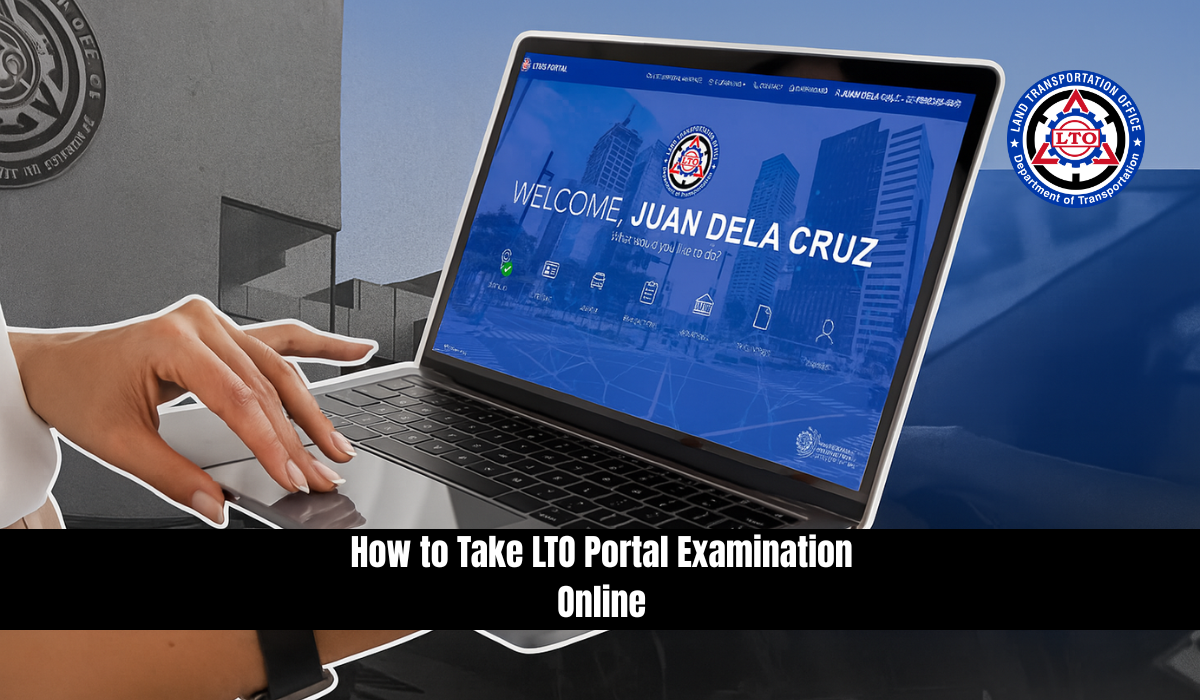
How to Take LTO Portal Examination Online. The Land Transportation Office (LTO) in the Philippines typically requires aspiring directors and conductors, as part of their application for a driver’s license, to take a few written and practical exams as part of the licensing process. This helps make sure that both the drivers and the conductors know as much as they can about the regulations and rules regarding road safety. There are a number of exams that are designed to promote responsible and informed driving and public transportation behaviour, which in turn will enhance the quality of the transportation experience and road safety for every individual. The exams cover traffic rules, road signs, and driving techniques.
There is a culminating assessment for the Comprehensive Driver Education (CDE) course included in these exams. Normally, the Land Transportation Office conducts exams at physical locations, but due to the recent health crisis, the agency has adapted technology and developed an online portal called Land Transport Management System (LTMS). Additionally, the LTO has developed an online portal for its Licensing & Testing Management System (LTMS), which enables drivers who wish to renew their license in the Philippines to access its review materials and validation exam.
Take the LTO Portal Exam Online
When it comes to LTO exams offered online through the LTMS portal, there is only one kind available: the CDE online validation exam. The CDE online validation exam is the culminating examination required for the completion of the CDE course and the issuance of the CDE Certificate of Completion (COC). Once the COC has been prepared, it will be presented to the LTO as part of the renewal application.
With the CDE validation exam now available online both in English and Filipino, the LTO has made it possible for licensees to take the first step to license renewal from the comfort of their own space, along with flexible scheduling options, allowing for a significantly streamlined testing process. It is a testament to how technology has transformed the LTO, offering a more accessible, flexible, and user-friendly experience for drivers who are unable to travel to a specific LTO branch to take a pen-and-paper CDE validation exam.
Where to Take the LTO Portal Examination
You can take the LTO exam at any of the following:
- Online via the LTMS Portal (Recommended)
- LTO Driver’s Education Centers
- LTO Accredited Driving Schools
- LTO Offices with Digital Facilities
For convenience, most applicants prefer the online method through the LTMS portal.
How to take the LTO Portal CDE Examination Online
The following steps should be followed to take the LTO Portal CDE (Comprehensive Driver Education) Online Validation Examination through the LTMS portal on portal.lto.gov.ph:

Step 1: Visit the Official LTO Portal.
To access the official LTO Portal, open your web browser and navigate to portal.lto.gov.ph from your mobile device or any computing device that has access to the Internet.
Step 2: Login or Create an LTO portal Account.
If you already have an LTMS account, log in with your login credentials. In this case, you would need to create a new account by providing the required information. You can find more information on how to register online for an LTMS Portal account in this guide.
Step 3: Select “CDE Online Validation Examination”
When you are logged in, go to the section that says CDE Online Validation Examination and click it. You can find this under the tab E-Learning.
Step 4: Follow Instructions.
Read carefully the instructions provided on the portal before taking the CDE online validation examination. The details include the number of questions, the time limit, the passing rate, and any other specific rules. Choose between English and Filipino as the language of the exam. Once you have completed the first item of the 25-item multiple choice test, you will be redirected to the second item. When you click start on the test, you will have thirty (30) minutes to complete it.
Step 5: Click Start Exam when you are ready to take the exam.
The examination should be started as directed. You are required to answer the questions presented to you using your knowledge of the driving rules and regulations to choose the best answer.
Step 6: Submit your answer.
You must submit your answers to the twenty-five (25) multiple-choice questions in the CDE online exams by clicking Finish Exam after you have answered all the questions. Before submitting, make sure you have answered all the questions.
Step 7: Review the results.
With the LTMS CDE online validation exam, you will receive instant feedback on your exam results. Review your performance by clicking Show Answers and note any areas for improvement. By clicking the Print Certificate button, you can also print the CDE Certificate of Completion if you pass.
Step 8: Close and log out.
Click Done and then Click Logout to log out of your account and keep your personal information secure after you’ve finished the exam, reviewed your results, and printed your CDE certificate.
The CDE online validation exam is a 25-item multiple-choice exam that is fairly straightforward to pass if you follow the rules. In the unlikely event that you fail to obtain 50% accuracy on the 25-item exam, you may repeat the same procedure and retake it. It is recommended that you check the answers before proceeding as some questions may be repeated.
In contrast, if you are experiencing any problems or have specific questions, you should contact the LTO customer service or support team.
LTO Portal Examination – Video Guide
Following is a list of the different channels through which you can contact LTO:
Land Transportation Office (LTO)
- LTMS portal: Go to the LTO’s official website and fill out the Contact Us form at https://portal.lto.gov.ph/ords/f?p=PUBLIC_PORTAL:CONTACT_US:115716301949471.
- Phone call: For further information, please contact them at (632) 922-9061 to 66.
- Email: You may also contact them by email at [email protected].
- LTO Text Hotline Service: A nationwide text message service is available to drivers and vehicle owners, using the typed phrase LTOHELP and sending it to the number 2600.
- LTO office: If you need further information, please contact the nearest LTO branch office.
After Passing the CDE Exam – What’s Next?
Once you’ve passed the LTO Portal Examination and received your CDE Certificate, the next steps are:
- Prepare all requirements for license renewal:
- Valid ID
- Medical Certificate (from LTO-accredited clinic)
- Your printed CDE Certificate
- Visit the nearest LTO Branch or satellite office.
- Proceed to the License Renewal Counter.
- Submit documents and undergo biometric scanning.
- Pay the corresponding renewal fees.
- Receive your renewed driver’s license.
Where to Download the CDE Certificate
Once you pass, your CDE Certificate will be available for download directly from the LTMS portal. Here’s how:
- Log in to your account.
- Go to E-Learning > CDE Certificate.
- Click Download Certificate.
- Save or print the certificate for submission at your nearest LTO branch.
Note: If you failed the exam, you can retake it immediately, and there’s no penalty or limit on how many times you attempt.
Tips on How to Take and Pass the LTO Exam Online
Passing the LTO exam is a crucial step for anyone seeking to become a responsible driver in the Philippines. This online assessment evaluates your understanding of traffic laws, road safety, and responsible driving behavior. To help you prepare effectively, here are expert-backed tips on how to take and pass the LTO online exam with confidence.
1. Understand the LTO Exam Coverage Thoroughly
Before starting the test on the LTO online portal, it’s essential to know what topics are covered. The exam generally focuses on:
- Traffic signs and signals
- Basic road safety practices
- Driving etiquette and responsibilities
- Philippine traffic laws
Having a clear understanding of the exam structure will guide your review sessions and help you concentrate on areas where you might need improvement.
2. Study Using LTO’s Official Online Learning Modules
The Land Transportation Office (LTO) provides comprehensive online modules designed to help applicants prepare for the exam. These modules are:
- Accessible via the LTO portal
- Packed with updated information on rules and regulations
- Aligned with the actual exam questions
By studying these modules, you’ll gain insights straight from the source, giving you a significant edge during the test.
3. Enhance Learning with Third-Party Study Tools
Not everyone absorbs information the same way. To supplement your study routine, consider using:
- Interactive mobile apps
- Practice quizzes
- Online video tutorials
- Community driving forums
These third-party resources can reinforce what you’ve already learned and expose you to a variety of question types. The more exposure you have, the better your chances of recognizing similar questions during the test.
4. Always Review Before You Submit
Just as you’d check your side mirrors before changing lanes, it’s wise to review your exam answers before submitting. Take a few minutes to:
- Re-read each question
- Verify your selected answers
- Ensure no question is left unanswered
This small step can make a big difference in your final score, potentially saving you from retaking the test.
5. Manage Your Time Wisely
Although the LTO online exam isn’t extremely time-pressured, it’s still important to pace yourself. Avoid rushing through just to finish quickly. Instead:
- Read each question carefully
- Eliminate wrong choices before selecting an answer
- Stay calm and confident
By staying composed, you increase your chances of answering correctly and passing on your first try.
FAQs About LTO Portal Examination
What is the CDE Online Validation Exam in the Philippines?
Ans: The CDE Online Validation Exam is a 25-item multiple-choice test required for the renewal of a driver’s license in the Philippines. It is conducted through the LTO’s LTMS portal and assesses knowledge of road rules, signs, and safe driving practices.
Who needs to take the LTO Portal Examination?
Ans: All drivers in the Philippines who wish to renew their driver’s license must take and pass the CDE Online Validation Exam, whether they are private vehicle owners, public utility drivers, or conductors.
Is there a time limit for the CDE Online Validation Exam?
Ans: Yes, once you begin the exam, you are given 30 minutes to complete all 25 multiple-choice questions. However, you can review the instructions and prepare for the exam beforehand without time pressure.
Can I retake the LTO exam if I fail?
Ans: Yes, you can retake the exam immediately and as many times as needed. There are no penalties or restrictions for failing, and some questions may repeat in future attempts.
What is the passing score for the LTO Portal CDE Exam?
Ans: To pass the exam, you must correctly answer 20 out of 25 questions, which is equivalent to an 80% passing rate.
How can I download my CDE Certificate after passing?
Ans: After passing the exam, log in to your LTMS portal account, go to E-Learning > CDE Certificate, and click Download Certificate. You can either save or print it for submission during your license renewal.
Can I take the CDE Validation Exam in Filipino instead of English?
Ans: Yes, the exam is available in both English and Filipino, and you can select your preferred language before starting the test on the LTMS portal.
Conclusion
Taking the LTO Portal Examination is an essential step toward responsible and legal driving in the Philippines. Through the LTMS portal, drivers can now access the exam online, study at their own pace, and enjoy flexible testing options. By preparing well and understanding the process, you can confidently pass the CDE Online Validation Exam and continue driving safely. Stay informed, follow the rules, and drive responsibly for everyone’s safety on the road.