How to Check Your LTO Transaction Status Online? A Complete Guide Via LTMS Portal
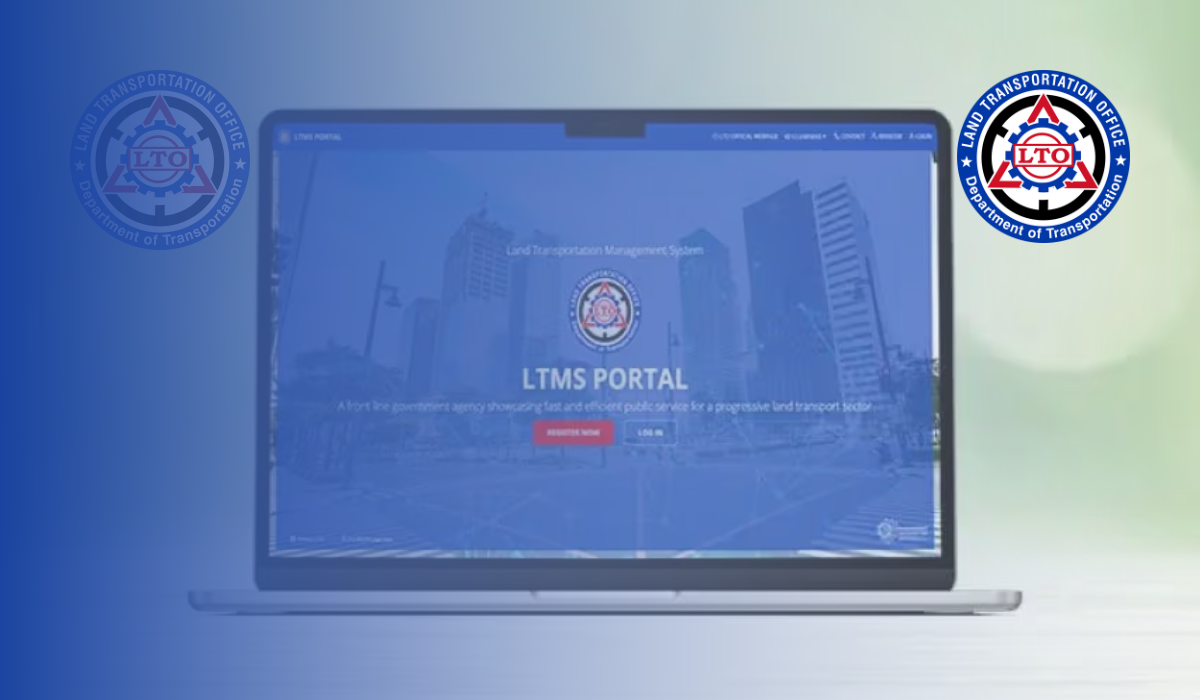
How to Check Your LTO Transaction Status Online? The Land Transportation Office (LTO) is aware of the modern demand for instant and fast services, and in response to this, it introduced an innovative solution: allowing you to view the status and transactions of your LTO transactions online, through the Land Transport Management System (LTMS). Consequently, the agency is able to provide users with convenient access to various services, including the ability to monitor their transactions and transaction status online. The LTMS portal provides users with the convenience and transparency of monitoring their interactions with the LTO and staying informed of important updates without requiring them to visit physical offices. The ability to check your LTO transactions and transaction status online via the LTMS portal offers convenience and transparency.
The purpose of this feature of the LTMS is to enhance the availability of LTO services and transaction status updates for vehicle owners and license holders, enhancing their overall experience and providing them with real-time information at their fingertips. Through this program, the agency empowers car owners and drivers to engage in LTO programs designed to foster a transparent, efficient, and convenient service for the general public. This article provides a detailed explanation of how to use this feature.
LTO Transactions Verified Online Via LTMS Portal
LTMS allows users to transact with the LTO online via the LTO’s website, enabling them to perform numerous activities, including renewing driver’s licenses, registration of vehicles, and complying with road safety regulations, all of which are essential for ensuring compliance with legal requirements and the safe operation of vehicles on the road. It involves engaging with the LTO to obtain services that assist them in fulfilling regulatory requirements and maintaining proper documentation for vehicles and drivers.
The LTO transaction status can be accessed online via the LTMS portal, which allows car owners and drivers to receive real-time updates on the progress of their transactions. As a result, it also translates as convenience and transparency within the agency, in the sense that they can easily handle their interactions with the LTO. With this digital feature added to the LTMS portal, LTMS users will be able to enjoy reduced need for physical visits to LTO offices, saving them time, money, and effort and enabling them to stay informed about important updates regarding their vehicle registrations, driver’s license renewals, and other transactions without having to endure the notoriously long queues commonly experienced when visiting physical LTO offices.
Benefits
Through the LTMS portal, you will be able to monitor your LTO transactions online, which will streamline the transaction process as well as provide the following benefits:
- Clear visibility into the status of transactions and transparency
- The efficiency with which LTO-related tasks are managed
- Provides users with the ability to stay informed and take action as necessary
- An intuitive user-friendly interface suitable for all levels of tech knowledge
- Details of all transactions with comprehensive transaction history
- A real-time update on the status of a transaction.
- The ability to check transactions online is convenient and available 24/7
The days of waiting in long lines at LTO offices are over; with online access, you can review your transaction history and track the progress of your application in a few clicks. Furthermore, checking your transactions online promotes transparency, enabling you to stay informed about important updates and ensure compliance with LTO regulations.
Requirements

There are a few things you need to ensure before you get going with the step-by-step procedures, however, and they are as follows:
- An Internet connection that is reliable and stable
- A device that is capable of connecting to the Internet and is compatible
- A compatible browser, such as Google Chrome or Mozilla Firefox, is required
- The LTMS account has been registered
- Your login credentials, including the email address you registered with or your LTO Client ID and password
- Especially when checking for specific transactions, please provide the Transaction Reference Number (if applicable)
How to Check Your LTO Transaction Status Process
The LTMS portal offers a number of options for tracking progress, resolving issues, and accessing relevant information, enabling seamless management of your interactions with the LTO. Below you will find a list of steps you may follow to learn how to do so:
Step 1. Your browser and Internet need a check
It is imperative that you ensure that you have a stable internet connection and a web browser that is compatible with the LTMS.
Step 2. Please login to the LTMS Portal

You can access the LTMS portal using your preferred web browser. You can find this information by visiting the LTO website or searching for “LTMS LTO” on your browser.
Step 3. Please sign in

You can access your LTMS account by using your registered credentials.
Note: If you have not yet registered for an account, you will need to create one first. To do so, click the Register button and follow the registration instructions.
Step 4. Proceed to Transactions

Upon logging in, click on the “Transactions” icon to access the “Transactions” section of the portal. On this page you will find a comprehensive overview of all the transactions you have made with the LTO in the past and present.
Step 5. View the history of transactions

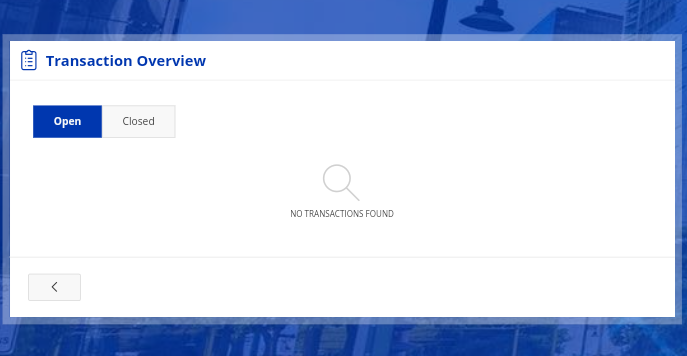
The Transactions section allows you to find all the open and closed transactions that have been made, covering the history of all current and ongoing, as well as all completed, transactions.
Step 6. Review the details
When reviewing your transaction history, be sure to pay attention to the status of each transaction. The LTMS portal provides real-time updates on transaction statuses, allowing you to monitor progress and take any necessary actions. Please carefully read the transaction entries for details such as the date, type, status, and remarks.
Step 7. Taking action (if needed)
Depending on the status of your transactions, you may need to take additional steps. In the case of a pending transaction or requiring additional documentation, the portal will provide instructions about what steps need to be taken next.
How to Check Your LTO Transaction Status Offline
While the LTMS Portal is the recommended way, there are still many who prefer or require traditional methods, especially in provinces where internet may not be reliable. Here are several offline options to check your LTO transaction status.
1. Visit the LTO Branch Where You Processed Your Transaction
- Go directly to the same LTO branch where you filed your application.
- Bring your official receipt (OR), claim stub, and valid ID.
- Proceed to the Customer Service Counter or Transaction Follow-Up Window.
- Provide your transaction reference number and ask for the status.
2. Call the LTO Hotline
- You can inquire by calling the LTO central hotline at (02) 8920-4764.
- Provide your full name, transaction details, and official receipt number for verification.
3. Use SMS (If Available)
- Some regional offices run pilot SMS update services. Check with your local LTO branch if this is offered.
4. Email or Official Facebook Pages
- Some LTO regional offices respond to emails or FB Messenger inquiries. Make sure it’s the official page (with the blue check).
Important Reminders
Whenever you check your LTO transactions online through the LTMS portal, it’s essential to observe the following important reminders to ensure your security and maintain the integrity of your information:

- Always use the official LTMS portal website: Make sure you’re accessing the portal only through its official website to guarantee the security and authenticity of your transactions.
- Never click suspicious links or use unofficial sources: Avoid opening links from unverified emails or messages that claim to direct you to the LTMS portal.
- Ensure a secure internet connection when logging in: Refrain from using public Wi-Fi or unsecured networks to prevent exposing your login credentials and personal data.
- Protect your LTMS account details: Keep your LTO Client ID and password confidential, and create strong, hard-to-guess passwords.
- Carefully review your transaction information: Double-check all displayed details on the LTMS portal, such as transaction dates, types, and statuses, to avoid misunderstandings or discrepancies.
- Be alert for phishing scams: Watch out for fraudulent emails or messages that mimic the LTMS portal and ask for sensitive information. Remember, the LTO will never request your login credentials, passwords, or personal details through unsolicited communication.
- Report any suspicious activity immediately: If you notice unauthorized access or unusual transactions in your account, contact the LTO right away to safeguard your records.
- Keep your contact details up to date: Make sure your contact information on the LTMS portal is current so you can promptly receive important notifications and updates about your transactions.
- Familiarize yourself with the portal’s policies and guidelines: Read the LTMS portal’s terms of service, privacy policy, and user guidelines to fully understand how to use its features and maximize your experience.
By keeping these reminders in mind, you help protect your personal data, prevent unauthorized access, and ensure a smooth and secure transaction process with the LTO.
Advantages of Using the LTMS Portal to Check LTO Transaction Status
- Saves Time and Effort: No more lining up at LTO branches or making repeated visits just to check on your application.
- Provides Transparency: The system gives you visibility on what’s happening with your transaction, reducing the stress of uncertainty.
- Minimizes Errors: By tracking your status online, you’re less likely to overlook pending requirements.
- Accessible Anytime: You can check your LTO transaction status online even outside office hours, right from your mobile phone or computer.
Fees
LTO transaction status can be easily monitored, managed, and checked via the LTMS portal at no cost, unlike most other online transactions. Through this service, users are able to access their transaction history and current transaction information without any additional fees.
Processing Time
The LTMS portal provides you with a quick and easy way to monitor LTO transactions and their status, it requires only a few clicks and takes approximately five (5) to ten (10) minutes, depending on your internet connection speed. Compared to visiting an LTO office, this method provides greater convenience and can be conducted from anywhere in the world at any time.
Challenges
While the LTMS offers significant benefits, there are certain challenges to be addressed, such as data migration and the completion of the system. To enhance LTMS functionality and ensure long-term success in modernizing LTO operations, continuous improvement and addressing these challenges are essential.
Common Problems and How to Solve Them
While the LTMS Portal greatly simplifies the process, users sometimes encounter issues. Here are some common problems and expert solutions:
| Issue | Cause | Solution |
|---|---|---|
| Cannot log in | Wrong password or username | Use the “Forgot Password” feature to reset your password. Make sure you’re typing your email or LTO Client ID correctly. |
| Transactions not appearing | System sync delays | Wait a few hours or check again the next day. If the issue persists, contact the LTO hotline. |
| No updates after weeks | Missing documents or unpaid fees | Revisit the transaction details on the portal. The system usually indicates if additional submissions are needed. |
| Account locked | Too many failed login attempts | Wait for a few minutes before trying again, or reset your password. |
FAQs About Check Your LTO Transaction Status
What is the LTMS Portal and why should I use it?
Ans: The LTMS Portal is the official online platform of the Land Transportation Office (LTO) that allows you to check your transaction status, renew licenses, register vehicles, and more. It enhances transparency, saves time, and lets you access services 24/7 without visiting LTO offices.
Is there a fee to check my LTO transaction status online?
Ans: No. Accessing your LTO transaction history and status via the LTMS Portal is completely free. All you need is an internet connection, a registered LTMS account, and your login credentials.
What should I do if my transaction shows “For Compliance”?
Ans: This means you need to submit additional documents or fulfill certain requirements. Log into the LTMS Portal to view specific instructions and promptly comply to avoid delays.
How can I check my LTO transaction status if I don’t have internet?
Ans: You can visit the LTO branch where you processed your transaction, call the LTO hotline at (02) 8920-4764, or inquire through official regional LTO emails and Facebook pages.
What common problems occur when using the LTMS Portal and how can I solve them?
Ans: Typical issues include login errors, missing transactions, or account lockouts. Use the “Forgot Password” option, ensure your internet is stable, and if problems persist, call the LTO hotline for assistance.
Conclusion
The LTMS Portal has revolutionized how Filipinos interact with the LTO by providing quick, transparent, and easily access to transaction statuses and services. Whether renewing a license or checking compliance, this digital system minimizes queues and empowers drivers with real-time updates. Embracing this tool not only saves time but also ensures you remain compliant with LTO requirements making every road journey safer and fully documented.